It is the interview question that separates people who use the web from people who understand it. Type a URL, hit Enter — and a dozen systems light up in sequence before a single pixel appears. Here is the honest version.
Before a single packet leaves
The work starts in the browser, before the network is even touched. As you type, the browser is already deciding whether your text is a URL or a search query, checking its autocomplete history, and — crucially — consulting the HSTS preload list. If the domain is on that list, the browser upgrades http:// to https:// locally, so it never sends an insecure request that could be intercepted and downgraded.
Then it parses the URL into its parts — scheme, host, port, path, query — and checks its own caches. Is there a fresh copy of this page already? A still-valid DNS answer? A warm connection to this host it can reuse? Every cache hit here is a network round trip you get to skip. Only what is left over actually goes out on the wire.
The hop sequence
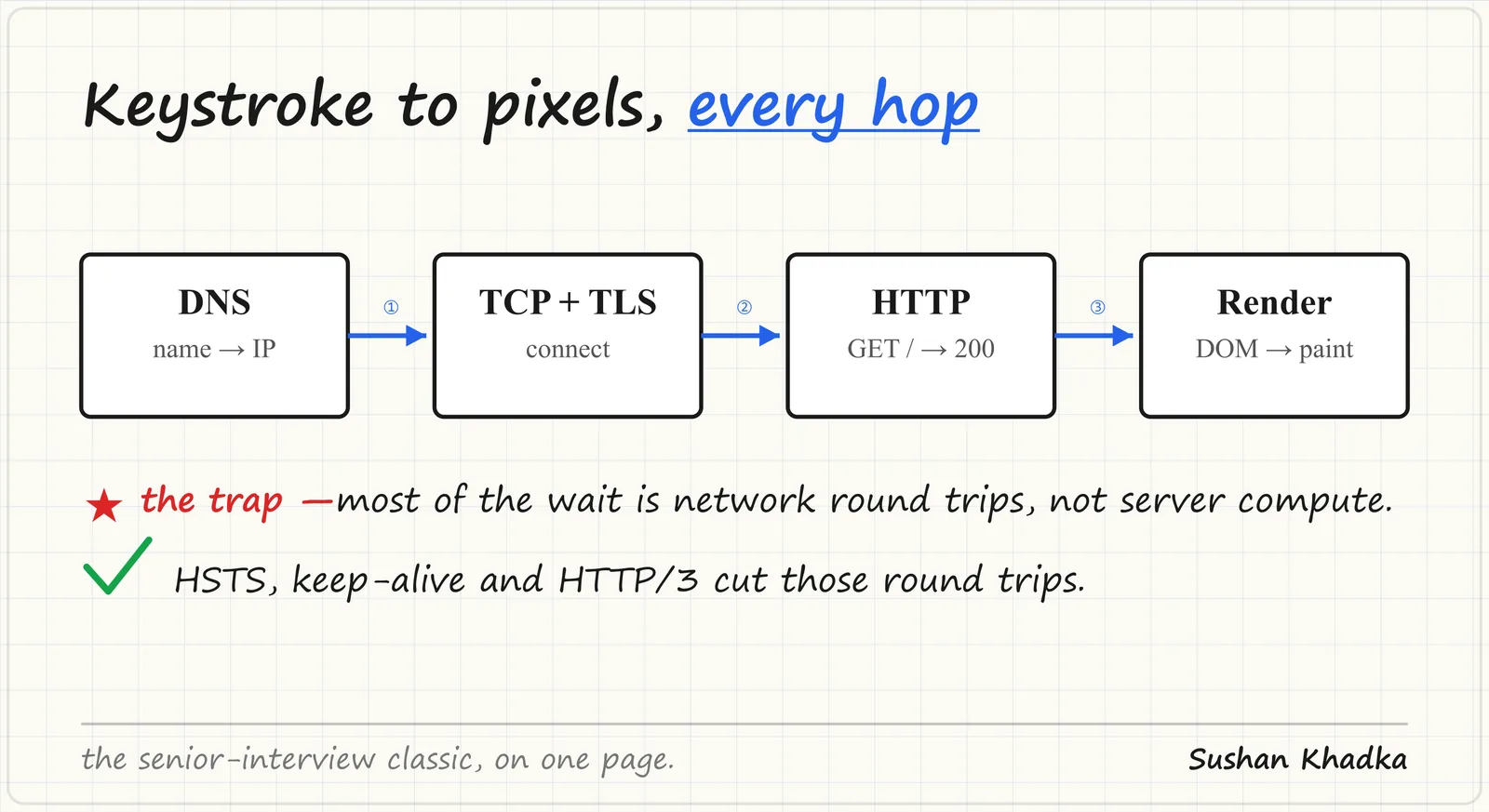
Four phases, strictly in order: DNS → TCP+TLS → HTTP → render.
- DNS turns
example.cominto an IP, walking the resolver, root, TLD, and authoritative servers — usually cached at several layers. - TCP opens the connection with a three-way handshake; TLS then negotiates encryption on top.
- HTTP finally sends your
GETand streams back the response. - The render pipeline parses HTML into the DOM, builds the CSSOM, lays out, paints, and composites.
DNS: turning a name into an address
Your machine runs a stub resolver that offloads the real work to a recursive resolver (your ISP's, or something like 1.1.1.1). If the answer isn't cached, that recursor walks the hierarchy: a root server points it at the .com TLD servers, which point it at the authoritative server for example.com, which finally returns the record. The answer is cached at every layer for the length of its TTL, so most lookups short-circuit long before reaching the root.
Only now do you have an IP address. And notice: nothing has been fetched yet. You have merely learned where to knock.
TCP and TLS: opening a secure pipe
TCP establishes the connection with a three-way handshake — SYN, SYN-ACK, ACK, one round trip — giving both sides an agreed starting point and reliable, ordered delivery.
On top of that, TLS negotiates encryption. In TLS 1.3 this is a single additional round trip: the client sends its supported ciphers and a key share, the server picks one and returns its own share and certificate, and both sides derive the same session key without ever transmitting it. The browser also validates the certificate here — checking the chain of trust up to a root CA, the hostname, and the expiry — which is what turns "encrypted" into "encrypted and talking to the right server."
HTTP: finally, the request
With a secure pipe open, the browser sends the actual request:
GET /index.html HTTP/2
Host: example.com
Accept: text/html
Accept-Encoding: gzip, br
The server responds with a status code and the body. That first HTML document is just the beginning — as the parser reads it, it discovers references to CSS, JavaScript, images, and fonts, and fires off requests for each. This is why the number of resources and the order they are discovered matters so much for speed, and why HTTP/2 and HTTP/3 multiplex many of them over a single connection instead of queuing.
Render: from bytes to pixels
The browser now runs its pipeline. It parses HTML into the DOM tree and CSS into the CSSOM, combines them into a render tree of what is actually visible, computes layout (the exact position and size of every box), paints pixels into layers, and composites those layers onto the screen — often on the GPU.
A subtlety that bites everyone: <script> tags block HTML parsing by default, because a script might rewrite the document. CSS blocks rendering, because painting with the wrong styles would flash unstyled content. This is the whole reason async/defer on scripts and inlining critical CSS exist — they stop a single blocking resource from freezing the entire pipeline.
The dirty secret: it is mostly waiting
Most of the time you "wait for the page" is not the server computing anything — it is round trips. DNS lookup, TCP handshake, TLS handshake, then the request itself: each is a packet flying across continents and back.
Server processing is often a few milliseconds. The latency is geography and the speed of light — a packet from London to Sydney and back cannot beat physics no matter how fast your backend is. This is why a CDN edge node 20ms away beats an origin 200ms away, every single time, and why the entire discipline of web performance is really a war on round trips.
How modern stacks cut the trips
Once you see the web as a pile of round trips, every optimization makes sense as a way to delete one.
- HSTS rewrites
httptohttpslocally, before any packet, skipping the wasteful redirect and closing the SSL-stripping gap. - keep-alive reuses one TCP+TLS connection for many requests instead of paying the handshake tax repeatedly.
- TLS session resumption and 0-RTT let a returning visitor skip most of the crypto handshake.
- HTTP/3 runs over QUIC, fusing transport and crypto setup into a single round trip — and survives network changes (Wi-Fi to cellular) without reconnecting, because it identifies connections by ID rather than IP.
- CDNs move the whole conversation physically closer, shrinking every round trip at once.
The takeaway
- Work starts before the network — HSTS upgrades, cache checks, and connection reuse decide how much even goes out on the wire.
- Order matters — DNS, then TCP+TLS, then HTTP, then render; name the phases and you have already passed the interview.
- Certificate validation is part of TLS — encryption plus identity is what makes HTTPS trustworthy, not encryption alone.
- Latency is round trips, not server time — optimize the network path before the backend.
- HSTS, keep-alive, and HTTP/3 all exist to delete handshakes you would otherwise repeat.